Catalog
The DIAL Catalog is the central hub where users discover and launch all models, agents, toolsets, skills, and prompts available in a DIAL environment. This page explains what the Catalog is, how it fits into the platform, and how the SaaS and On-Prem editions differ. For step-by-step instructions on using the Catalog as an end user, see the Chat User Guide.
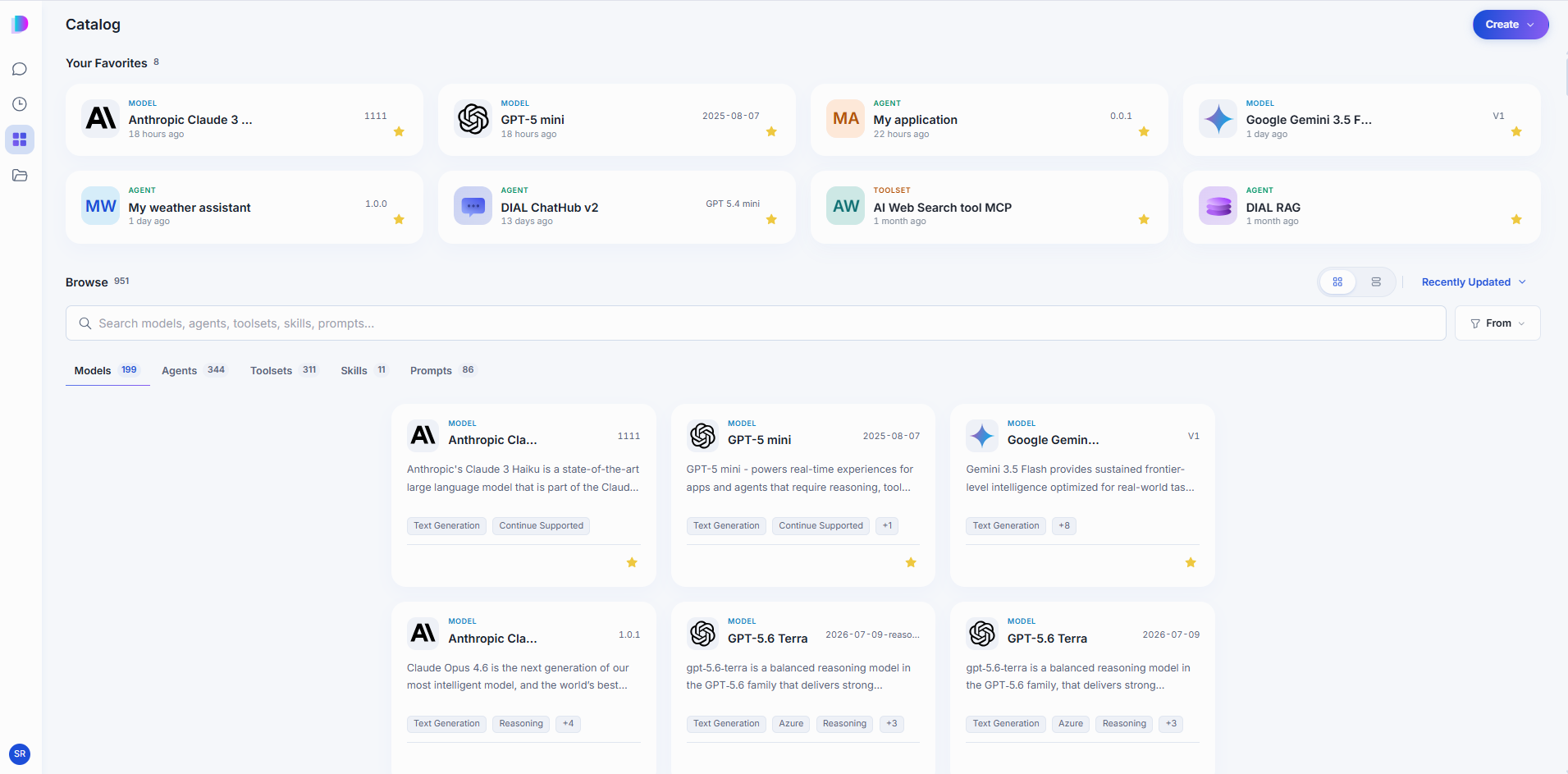
What the Catalog provides
The Catalog serves three roles:
- Discovery — a single entry point for all AI assets in your organization. Users browse, search, and launch models and applications without needing to know deployment details.
- Collaboration — users can share applications with colleagues, granting either editing rights or use-only permissions. Published applications go through an approval workflow before becoming available to the wider organization.
- Development studio — agent builders such as Quick Apps and Code Apps let users create applications using low-code and no-code wizards directly from the Catalog. Pre-built agents can be used as building blocks in new applications.
SaaS vs On-Prem editions
| Capability | SaaS | On-Prem |
|---|---|---|
| Browse and launch models and applications | Yes | Yes |
| Share applications with colleagues | Yes | Yes |
| Publish applications to the organization | Verified and approved by administrators | Controlled by the organization's own approval workflow |
| Agent builders (Quick Apps, Code Apps) | Available | Available |
| Hosting and infrastructure | Managed by DIAL | Managed by the organization |
In the SaaS edition, only applications verified and approved by administrators get published. This ensures security and safety for all users. In the On-Prem edition, organizations control the approval process and can customize it to their governance requirements.
How publishing works
- A developer or user creates an application in the Catalog.
- They share it with colleagues for feedback or publish it to a wider audience.
- Published applications enter an approval queue visible to administrators in DIAL Admin. See Publications and review.
- After approval, the application appears in the Catalog for all permitted users.
The permissions model integrates with the organization's identity provider. Access to specific applications can be scoped by role, team, or individual.
Further reading
- Chat User Guide: Catalog — how to find, favorite, and create Catalog items
- Chat User Guide: Agents — talk to, create, and edit agents in the Catalog
- DIAL Admin: Approvals — review, approve, and decline publication requests
- DIAL Chat configuration — enable or disable the Catalog via feature flags