Overview and interface
DIAL Chat is the default conversational interface for DIAL. From a single application, users can chat with AI models and agents, browse available resources in the Catalog, manage files, share and publish content across the organization, and build new applications using no-code editors. What each user sees is determined by their organization's access-control policies.
This guide covers the standard DIAL Chat interface. Self-hosted deployments can customize or replace parts of it, which is out of scope here.
Interface areas
The interface is organized around the sidebar on the left. Its top section links to the main areas, and the Chats and tasks list below it holds your conversations:
- New chat and Chats — your conversations with AI models and agents, grouped into My chats, Shared, and Organization. The central chat area is where you compose messages, view responses, pick an agent, and attach files. See Conversations.
- Scheduled tasks — messages that DIAL Chat sends for you on a schedule. Shown only when your deployment enables them. See Scheduled tasks.
- Catalog — all models, agents, toolsets, skills, and prompts available in your environment. Browse, favorite, and create new ones. See Catalog.
- File Manager — upload, organize, and manage files you use in conversations. See File Manager.
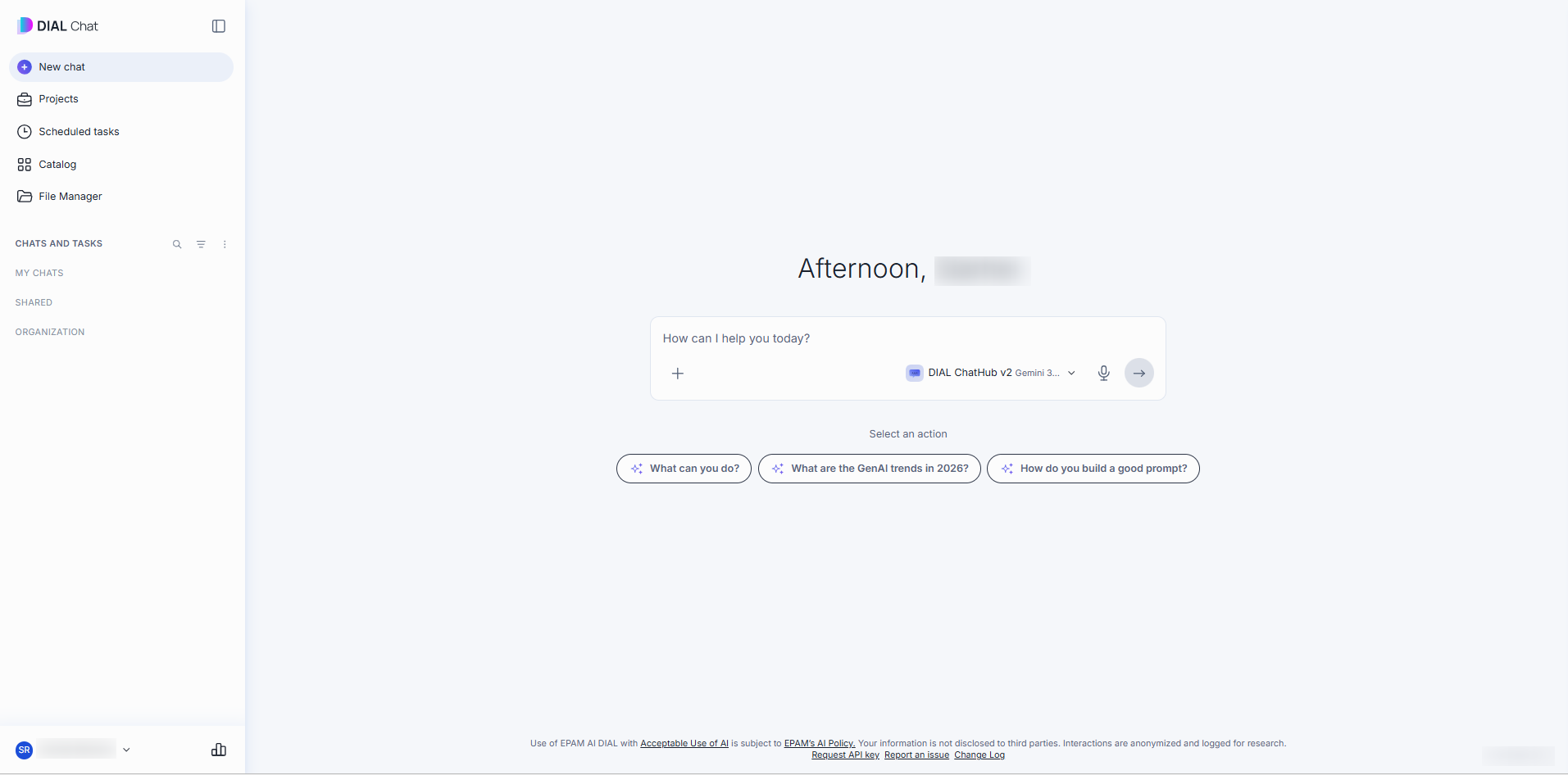
Your account, Settings, and the Usage page are at the bottom of the sidebar. See Usage and settings. Click the sidebar icon at the top to collapse the sidebar to icons, and click it again to expand it. Your administrator can turn this control off.

Some applications replace the standard chat interface entirely with a custom UI.