Admin Panel overview
DIAL Admin is the web interface administrators use to configure, manage, and monitor a DIAL deployment without editing configuration files by hand. This page explains what the Admin Panel is, who counts as an administrator, and how its sections map to the day-to-day work of running DIAL. It is for administrators and governance owners; no prior Admin Panel experience is assumed.
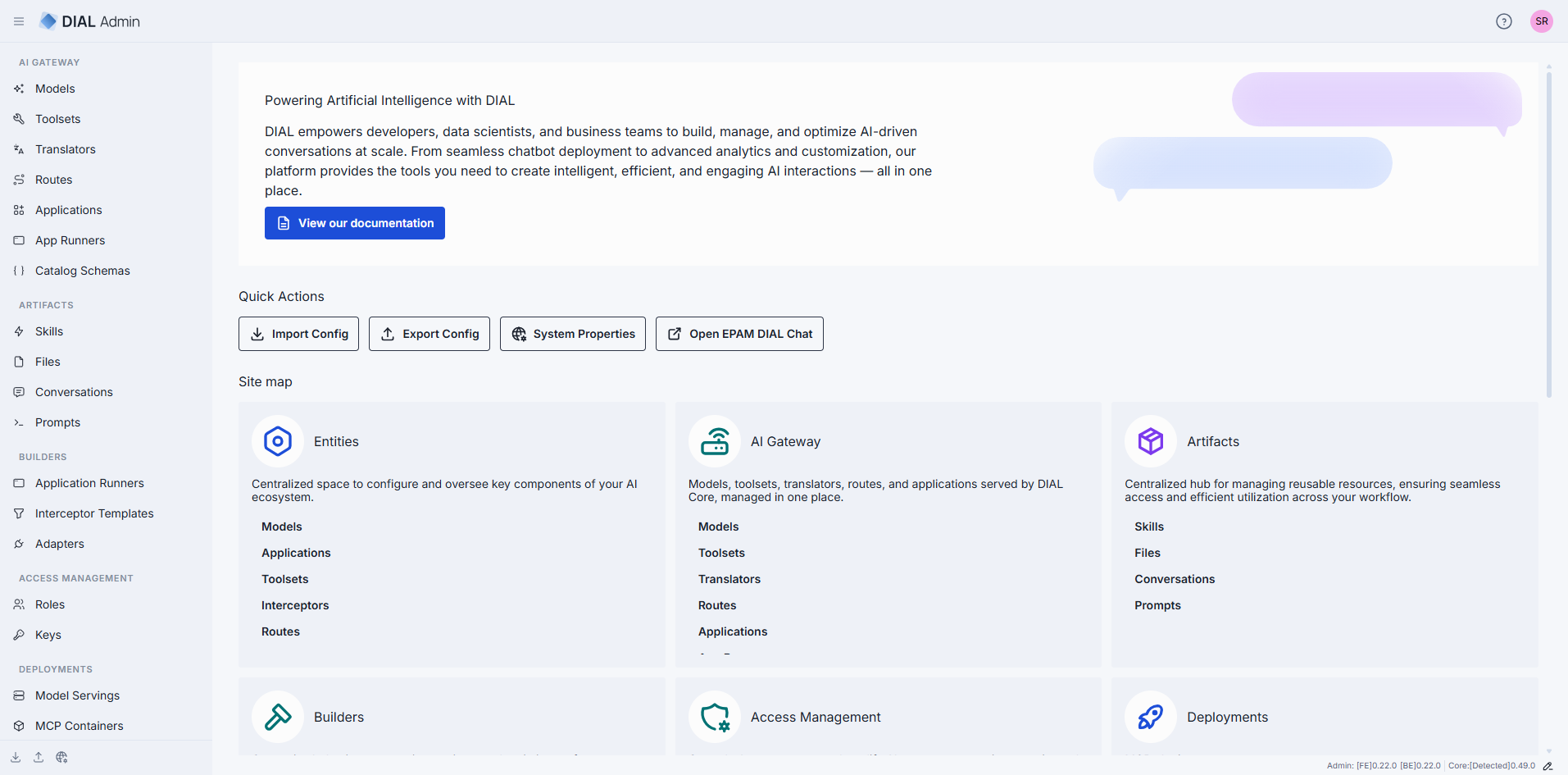
What the Admin Panel is
DIAL Admin Frontend connects directly to DIAL Core using the signed-in user's token. Core stores configuration created through the panel alongside its file-defined configuration; Admin does not rewrite those files. Deployment management, Evaluation, and Analytics use optional service APIs.
For the service architecture, dependencies, and releases, see Services > DIAL Admin. Platform engineers should start with DIAL Admin configuration to connect Core, set up administrator access, and enable optional services. Admin Backend is optional and supplies additional backend-dependent screens and configuration-transfer workflows.
Who is an administrator
Your identity provider assigns your roles. DIAL Core recognizes administrators through the static
access.admin.rules settings, and the frontend has matching role-claim settings. See
Authentication and administrator access
for a complete example. Administrator privileges include:
READandWRITEaccess to all public system resources — conversations, prompts, files, toolsets, and applications.- The ability to view, approve, and reject publication requests submitted by DIAL users.
- Access to the Core Configuration API; other resources remain subject to their access rules.
- The ability to manage the DIAL Core configuration — models, applications, toolsets, roles, API keys, interceptors, and more — through the panel.
For the wider model of identities, roles, and permissions, see Authentication and access control.
How the sections map to your work
The Admin Panel groups its features into sections. Each maps to a stage of operating a DIAL deployment:
- AI Gateway — register and configure the entities that DIAL Core exposes through the Unified API: models, applications, toolsets, routes, translators, application runners, and catalog schemas.
- Artifacts — govern the shared content that users publish: skills, prompts, files, and conversations.
- Deployments — build and run the container images behind model servings, MCP servers, adapters, applications, and interceptors. Requires DIAL Deployment Manager.
- Evaluation — create test suites, manage datasets, and run evaluations against deployed models, applications, and MCP tools.
- Analytics [Preview] — analyze conversation data with queries, dashboards, tables, pipelines, and sessions.
- Governance — manage roles, API keys, folder permissions, interceptors, and approvals of user publications.
Two cross-cutting tasks have their own pages: User management explains how user identities reach DIAL, and Usage limits and cost control covers how to cap consumption and spend.
Read-only access
Two kinds of read-only apply in the Admin Panel.
Read-only entities. Entities defined in the DIAL Core configuration files appear in the file root folder of the AI Gateway. This folder is read-only for every administrator: its entries carry a READ ONLY badge, and you can't create, edit, or delete them in DIAL Admin or through the API. To change them, edit the configuration file. See Where an entity can be defined.
Read-only accounts with Admin Backend. When the optional backend supplies account roles, not every administrator account can change configuration. If your account has read-only permissions, DIAL Admin shows a Read-only mode access banner on the home page and a READ ONLY badge in the header that stays visible as you navigate. Controls that modify configuration — including Import Config and Export Config — are disabled. Access levels are themselves mapped by Admin Backend's identity-provider configuration. This account mode is distinct from Core's administrator rules; see Optional Admin Backend.