Deploy Databricks models
Connect a Databricks model serving endpoint to DIAL through the OpenAI adapter of DIAL Model Provider. Databricks uses a different authorization flow from OpenAI, which requires declaring the deployment in the DATABRICKS_DEPLOYMENTS environment variable on DIAL Model Provider.
Prerequisites
- Active Databricks account with ML workspace access
- A model serving endpoint, or permission to create one
Step 1: Create a serving endpoint (optional)
Skip this step if you already have a serving endpoint for the model you want to use.
-
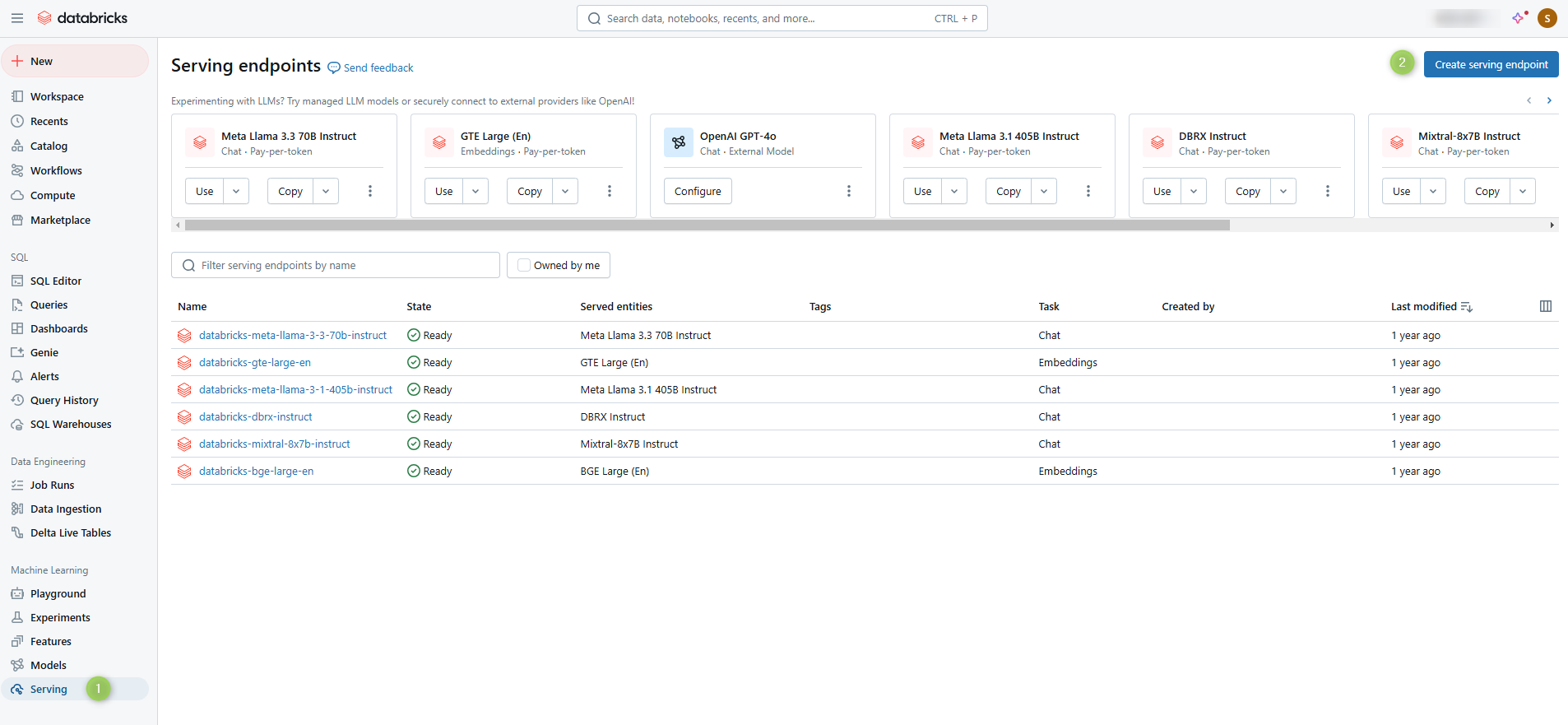
In your Databricks workspace, navigate to the Machine Learning section.
-
Open the Serving tab and click Create serving endpoint.
-
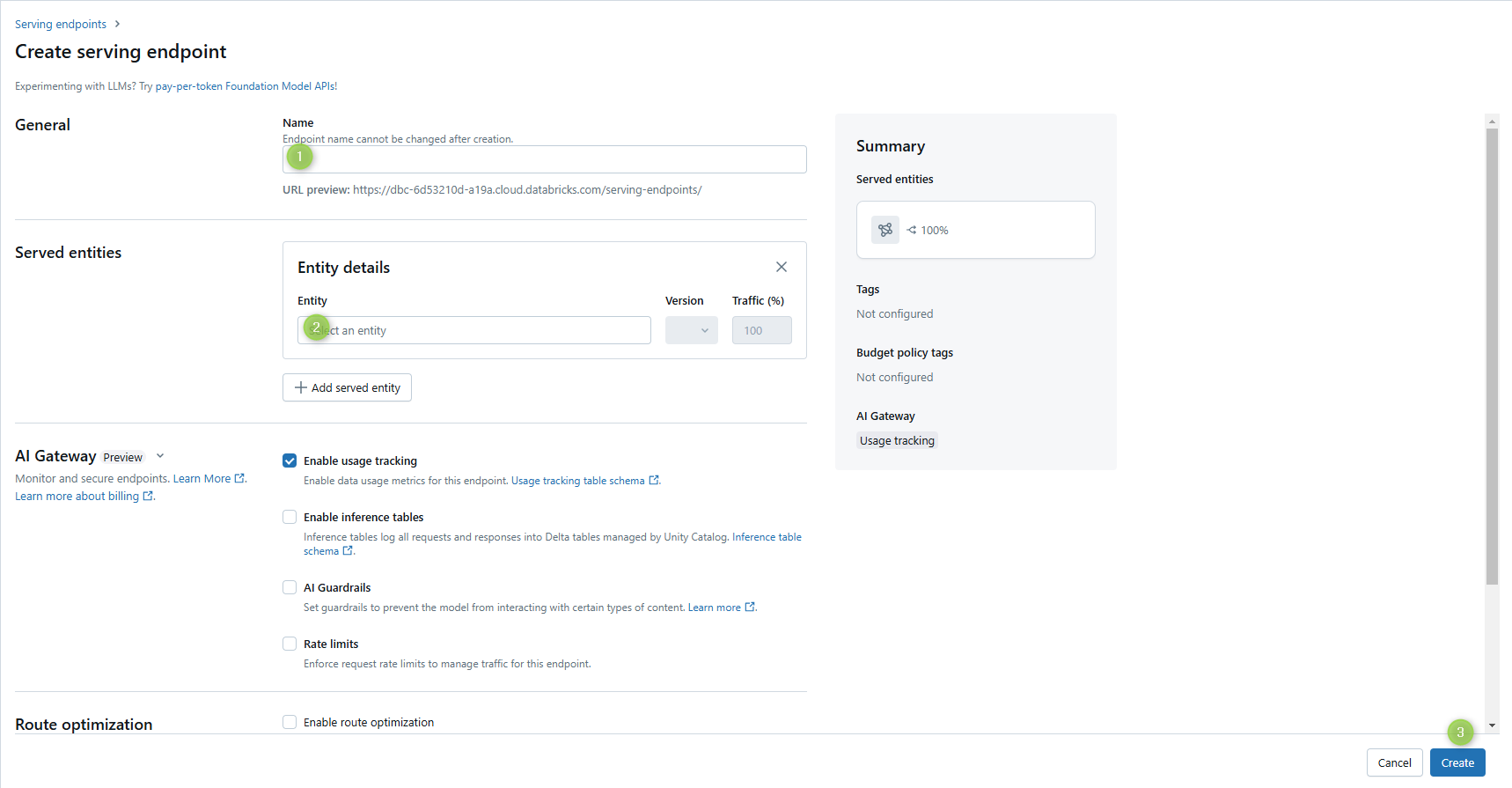
Enter a name for the endpoint — you will reference it in Step 3 — and select the model to serve.
-
Click Create.
Step 2: Create an access token
-
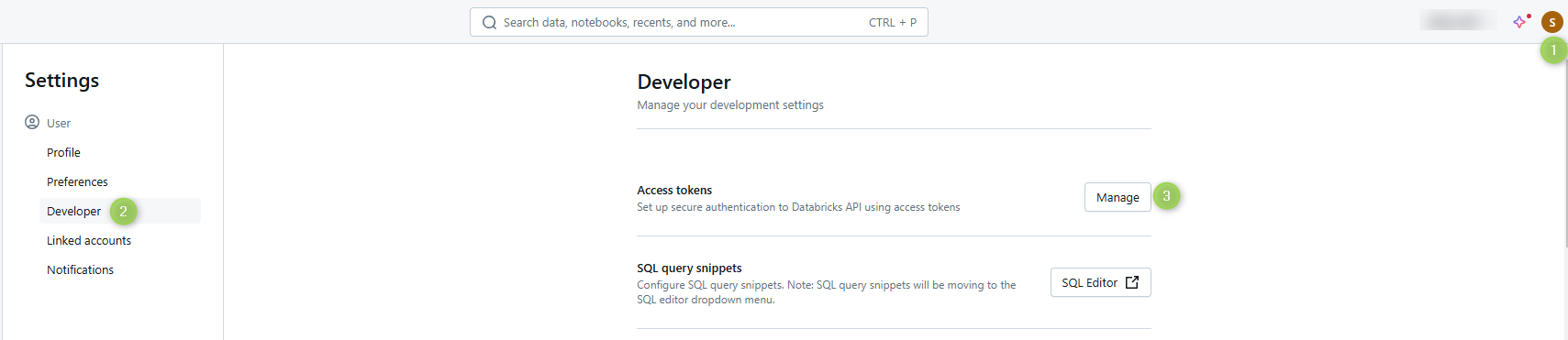
Open your Databricks workspace Settings.
-
Navigate to User Settings > Developer and generate a new access token.
-
Copy the token — you will supply it in Step 3.
Step 3: Add the model to DIAL
Register the model in DIAL Core config
Add an entry in the models section of config.json. Refer to Models configuration for the full field reference.
Use the serving endpoint name and access token from the previous steps. The model's baseUrl points at the OpenAI adapter of DIAL Model Provider, and overrideName carries the Databricks deployment name that the adapter receives in the request path:
"<DIAL_DEPLOYMENT_NAME>": {
  "type": "chat",
  "displayName": "<DISPLAY_NAME>",
  "overrideName": "<DATABRICKS_DEPLOYMENT_NAME>",
  "baseUrl": "http://<MODEL_PROVIDER_HOST>:5000/compat/openai",
  "interfaces": { "openaiChatCompletions": {} },
  "upstreams": [
    {
      "id": "databricks",
      "key": "<ACCESS_TOKEN>",
      "interfaces": {
        "openaiChatCompletions": {
          "endpoint": "<DATABRICKS_ACCOUNT_URL>/serving-endpoints/chat/completions"
        }
      }
    }
  ]
}
Configure DIAL Model Provider
Databricks serving endpoints use a different authorization flow from standard OpenAI deployments. Declare the Databricks deployment name in the DATABRICKS_DEPLOYMENTS environment variable of DIAL Model Provider, for example in its DIAL Extension chart values:
env:
  DATABRICKS_DEPLOYMENTS: "<DATABRICKS_DEPLOYMENT_NAME>"
Restart DIAL Model Provider for the change to take effect.
Refer to OpenAI adapter configuration for the complete list of environment variables.
Further reading
- DIAL Model Provider — the service that runs the OpenAI adapter
- OpenAI adapter configuration — full OpenAI adapter environment variable reference, including
DATABRICKS_DEPLOYMENTS - Models configuration — model config field reference
- Supported models and providers — full list of providers supported through the OpenAI adapter