Publications
Introduction
When you create resources in DIAL—such as conversations, prompts, toolsets, or applications—they are stored in your private folder and accessible only to you. You can publish these private resources to make them accessible to other users in DIAL.
By default, published resources are placed in the Public folder, which is available to all authenticated DIAL users. However, you can specify a subfolder in your publication request and apply access rules to restrict visibility to specific user groups or API keys.
Note: Published resources can be modified by DIAL admins.
- Refer to Collaboration Intro to learn more about publications.
- Refer to Access Control to learn about public and private resources in DIAL.
- Watch a Demo Video to see publication feature in action.
Publication API
DIAL provides API to work with publications programmatically.
- Refer to DIAL API to view publications endpoints.
- Refer to DIAL Chat User Guide to learn how chat users can publish resources in DIAL Chat.
User Flow
Create a publication request by calling /v1/ops/publication/create endpoint. You can use it to create a mixed publication request, in which you can pass various resources in the request body with different action types.
For example, you can pass a collection of new prompts with action type ADD and another collection of prompts with action type DELETE. This way you can publish one set of prompts and unpublish the other. Similarly, you can handle other resource types (FILE, PROMPT, CONVERSATION, APPLICATION and TOOLSET).
In the response, you get an object with the PENDING status, which is awaiting the action from the admin: approve or reject. While your request is pending, you can delete it by calling /v1/ops/publication/delete endpoint.
Access Control
All authenticated DIAL users can access the Public folder by default, but you can publish resources to subfolders and restrict access to them.
To publish resources to a subfolder with restrictions, specify the targetFolder and provide rules in your publication request .
Access rules use three parameters:
source: The claim name (for JWT) orroles(for API keys). DIAL Core supports both simple claims likerolesand nested claims e.g.company.department.roles.target: The claim value (for JWT) or role value(s) from DIAL Core config (for API keys)function: The matching function —EQUAL,CONTAIN, orREGEX
Example: Publish a conversation to public/my-folder/ accessible only to users with roles=user in their JWT:
{
    "name": "My publication request",
    "displayAuthor": "John",
    "targetFolder": "public/my-folder/",
    "resources": [
        {
            "action": "ADD",
            "sourceUrl": "conversations/my-conversations/conversation_id",
            "targetUrl": "conversations/public/my-folder/"
        }
    ],
    "rules": [
        {
            "function": "EQUAL",
            "source": "roles",
            "targets": ["user"]
        }
    ]
}
Get a list of rules for a specific folder
Call /v1/ops/publication/rules/list endpoint to get a list of all rules for the provided path (folder sequence).
Change rules for a specific folder
Call a /v1/ops/publication/create endpoint providing a path to a desired folder (targetFolderin the request body) and a list of rules to be changed. For instance, if you create a request with "targetFolder":"public/folder1/folder2/", it will only overwrite the rules for folder2, while the rules for folder1 will stay unchanged.
Create a publication request without changing rules
Create a /v1/ops/publication/create request without the rules object to left the rules intact.
Effective Rules
Refer to Access Control to learn more about folder structure in public space and how to define access restrictions.
The effective access rules for a folder structure can be described as follows:
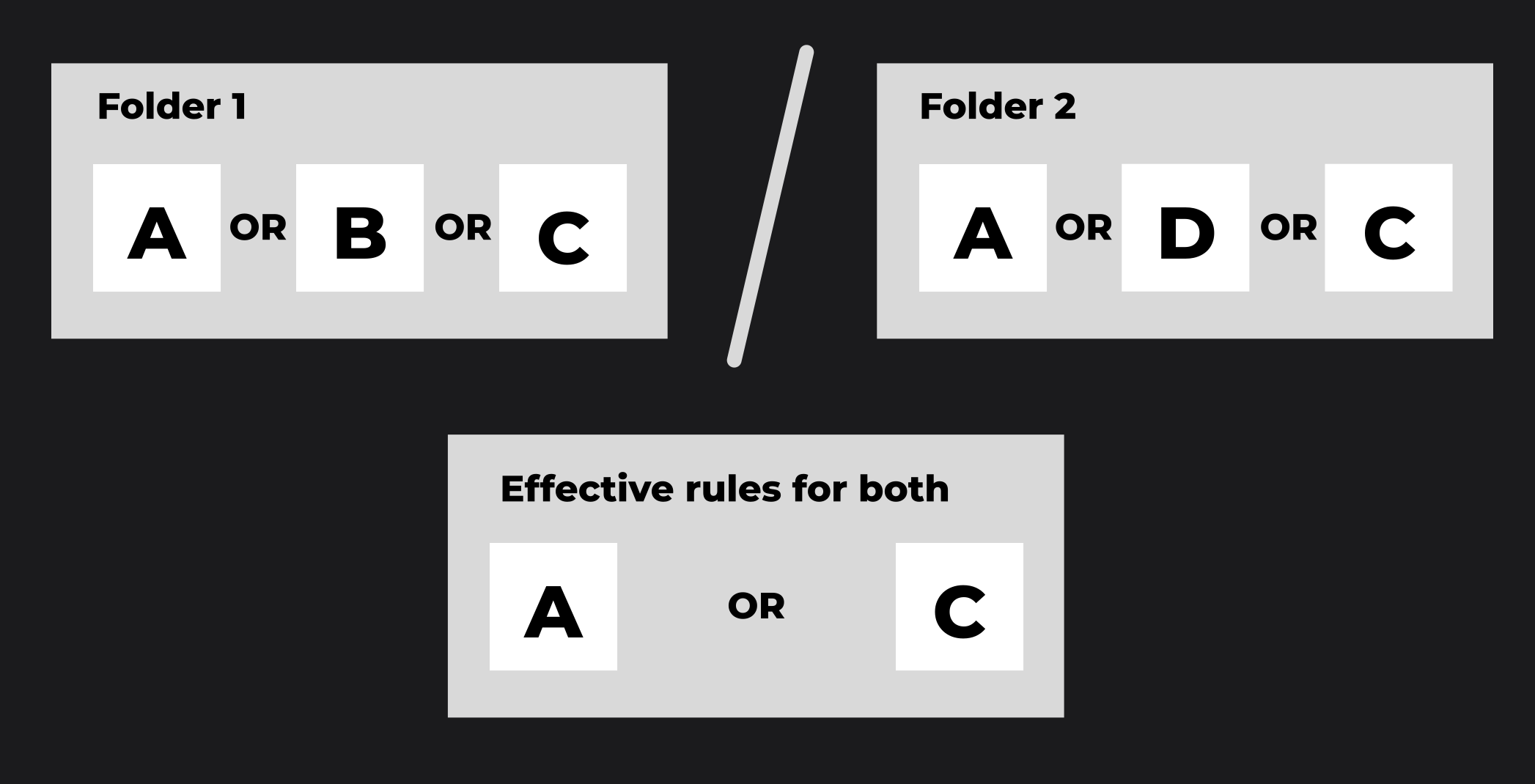
- Within a single folder, the effective access rule is determined by the logical OR operation applied to all the access rules assigned to that folder. For example, in folder A with access rules a, b, and c, the effective rule is "a OR b OR c".
- Between nested folders, the effective access rule is determined by the logical AND operation applied between the effective rules of the parent folder and its subfolder. For example, if folder B with access rules d, e, and f is nested under folder A, the effective rule for accessing folder B is "(a OR b OR c) AND (d OR e OR f)".
Admin Flow
DIAL Admins can get a list of publication requests awaiting the decision by calling /v1/ops/publication/list endpoint. Further, you can call /v1/ops/publication/get endpoint to get a specific publication request and then execute /v1/ops/publication/approve or /v1/ops/publication/reject to change its status.
Refer to DIAL Admin to learn how to manage publication requests in DIAL Admin UI.