Publications API
Publish private resources to the shared Public space and control who can see them, using the DIAL Core Publications API. This guide is for developers building publication workflows on top of the Unified API. You should understand DIAL access control and how resources are stored in private and public spaces.
When you create resources in DIAL — conversations, prompts, Toolsets, applications, or files — they are stored in your private folder and accessible only to you. Publishing makes a resource available to other users. By default, published resources go to the Public folder, which every authenticated user can access. You can instead target a subfolder and attach access rules to restrict visibility to specific groups.
Published resources can be modified by DIAL administrators.
Prerequisites
- A DIAL deployment and its base URL, referred to below as
<DIAL_URL>. - An API key or JWT authorized to publish resources.
- The path of at least one private resource to publish.
User flow
Create a publication request by calling /v1/ops/publication/create. A single request can mix resources and actions: pass one set with action ADD to publish and another with action DELETE to unpublish. The supported resource types are FILE, PROMPT, CONVERSATION, APPLICATION, and TOOLSET.
The response is an object with status PENDING, awaiting an administrator decision to approve or reject. While the request is pending, you can withdraw it by calling /v1/ops/publication/delete.
Restrict access with rules
All authenticated users can reach the Public folder by default. To publish into a subfolder with restrictions, set targetFolder and provide rules in the publication request.
Each access rule uses three parameters:
| Parameter | Description |
|---|---|
source | The claim name for JWTs, or roles for API keys. DIAL Core supports simple claims such as roles and nested claims such as company.department.roles. |
targets | The claim value for JWTs, or the role values from the DIAL Core configuration for API keys. |
function | The matching function: EQUAL, CONTAIN, or REGEX. |
The following request publishes a conversation to public/my-folder/, restricting access to users whose JWT carries roles=user:
{
  "name": "My publication request",
  "displayAuthor": "John",
  "targetFolder": "public/my-folder/",
  "resources": [
    {
      "action": "ADD",
      "sourceUrl": "conversations/my-conversations/conversation_id",
      "targetUrl": "conversations/public/my-folder/"
    }
  ],
  "rules": [
    {
      "function": "EQUAL",
      "source": "roles",
      "targets": ["user"]
    }
  ]
}
Manage rules for a folder
- List rules — call
/v1/ops/publication/rule/listwith a folder path to return all rules that apply to it. - Change rules — call
/v1/ops/publication/createwith the target folder and the new rules. Only the rules for the deepest folder intargetFolderare overwritten; rules on parent folders are unchanged. For example,"targetFolder": "public/folder1/folder2/"overwrites the rules onfolder2only. - Leave rules unchanged — omit the
rulesobject from the request.
Effective rules
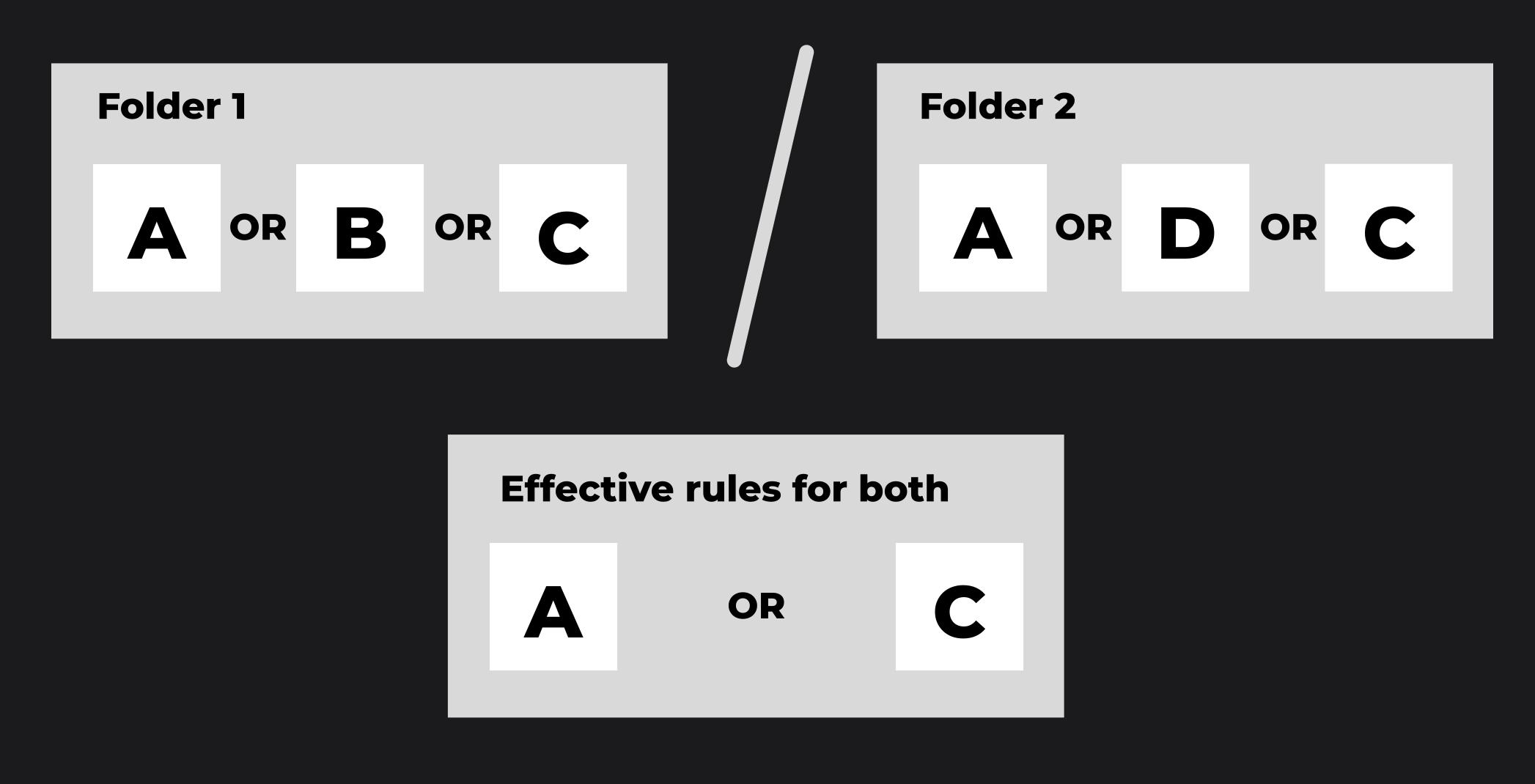
The effective access rule for a folder structure is derived as follows:
- Within a single folder, the effective rule is the logical OR of all rules assigned to that folder. For folder A with rules a, b, and c, the effective rule is
a OR b OR c. - Between nested folders, the effective rule is the logical AND of the parent's effective rule and the subfolder's effective rule. If folder B with rules d, e, and f is nested under folder A, the effective rule for B is
(a OR b OR c) AND (d OR e OR f).
Admin flow
Administrators review pending requests through the same API:
- Call
/v1/ops/publication/listto list requests awaiting a decision. - Call
/v1/ops/publication/getto retrieve a specific request. - Call
/v1/ops/publication/approveor/v1/ops/publication/rejectto change its status.
DIAL Admin provides a user interface for the same review workflow. See Publications and review.
Result
You can publish and unpublish resources, target restricted subfolders, define and update access rules, and process approvals — all through the Publications API.
Further reading
- Sharing API — grant access without publishing to the Public space
- Notifications — get notified when a publication is approved or rejected
- Enable publications in DIAL Chat — turn on publishing in Chat and configure the access rules
- DIAL Admin: Approvals — review, approve, and decline publication requests
- Collaboration and sharing — how sharing and publication give colleagues controlled access
- Publications API reference — every publication endpoint and field