Usage Log
Introduction
Each request to DIAL Core initiated by external of internal client may trigger a complex sequence of calls all sharing the same Trace ID. Additionally, each call within this sequence is assigned a unique Core Span ID, so the combination of Trace ID and Core Span ID uniquely identifies every request allowing you to track the entire end-to-end interaction.
This graph illustrates the root call made by the DIAL Client to DIAL ChatHub, which triggered calls to AI Model GPT-4, DIAL RAG application and Gemini AI model. The original DIAL Client call, calls to AI models and DIAL RAG all share the same Trace ID.
DIAL Client
  |
  v
DIAL ChatHub
  |
  +--> GPT-4
  |
  +--> DIAL RAG --> Gemini
The Usage Log provides comprehensive visibility into all individual requests processed by DIAL Core. Each row in the table corresponds to a single request. Requests belonging to the same root call share the same Trace ID.
Usage Log offers two complementary views: Traces for granular request-level details and Conversations for aggregated conversation-level metrics.
Top Bar Controls
- Time Period: Dropdown control to scope the table to a specific time range (e.g., last 24 hours, last 7 days, or custom date range).
- Refresh: Click to manually reload the table with the latest data, applying all active filters and respecting the selected time period. This ensures you're viewing the most current data without needing to reload the entire page.
Traces
In Traces you can access a detailed view into all requests processed by DIAL Core. Each row represents an individual request—whether initiated by an external or internal DIAL client. Use it to investigate specific interactions, troubleshoot issues, or analyze usage patterns.
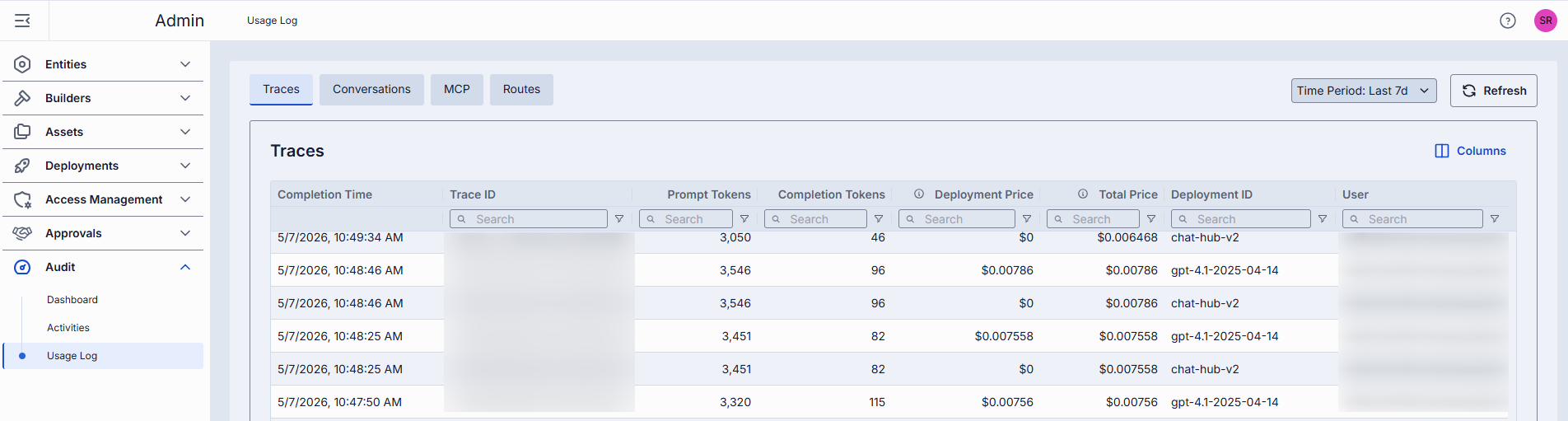
| Column | Description |
|---|---|
| Completion Time | Timestamp when DIAL Core finished processing the given request. |
| Number of request messages | The number indicates the chat conversation length in chat completion requests and the input count in embedding requests. |
| Trace ID | OpenTelemetry trace ID uniquely identifying a single request from DIAL Client to DIAL Core. All subsequent calls triggered by this request share the same Trace ID. |
| Core span ID | OpenTelemetry span ID corresponding to the given request. |
| Core span parent ID | OpenTelemetry span ID corresponding to a DIAL Core request that called the given request. |
| Response ID | Identifier of the response object returned by the AI model for the given request. |
| Conversation ID | DIAL Chat conversation identifier the given request belongs to. |
| Deployment ID | Identifier of the DIAL deployment corresponding to the given request. |
| Parent Deployment ID | Identifier of the DIAL parent deployment that triggered the given request. |
| Execution path | A list of DIAL Deployment IDs representing the call stack of the given request. E.g. ['app1', 'app2', 'model1'] means app1 called app2 and app2 called model1. The last element of the list equals to the Deployment ID field. The penultimate element of the list (when present) equals to the Parent Deployment ID field. |
| Prompt tokens | The total number of tokens contained in prompt(s) sent to AI models during the given request. |
| Cached prompt tokens | Number of prompt tokens served from cache (prompt-caching) in the given request. |
| Completion tokens | Number of tokens generated by the AI model as output in the given request. |
| Deployment price | The cost of the specific request in the call graph, excluding the cost of any requests it directly or indirectly initiated. |
| Total price | The total cost of the request, including the cost of this request and all related requests it directly or indirectly triggered. It always holds that Total price >= Deployment price. |
| Model | Identifier of the underlying AI model used to carry out the given request. |
| Project | Project ID corresponding to the DIAL API Key via which the given request was made. |
| Upstream | The upstream endpoint (e.g., completions endpoint of the model). |
| User | The unique hash identifying the user who initiated the request. |
| User title | Job title of the user (if available) who initiated the request. |
| Topic | Auto-generated subject/title summarizing the given request. |
| Language | Language detected in the given request (e.g., en). |
| Reactions | Indication of user reactions (like/dislike) in the given request. |
Conversations
In Conversations you can access metrics of requests that belong to a single conversation - share the same Conversation ID. Each row in the table represents a conversation session. This view enables you to analyze multi-turn dialogues, track user engagement patterns, and monitor resource utilization across entire conversation flows rather than isolated requests.
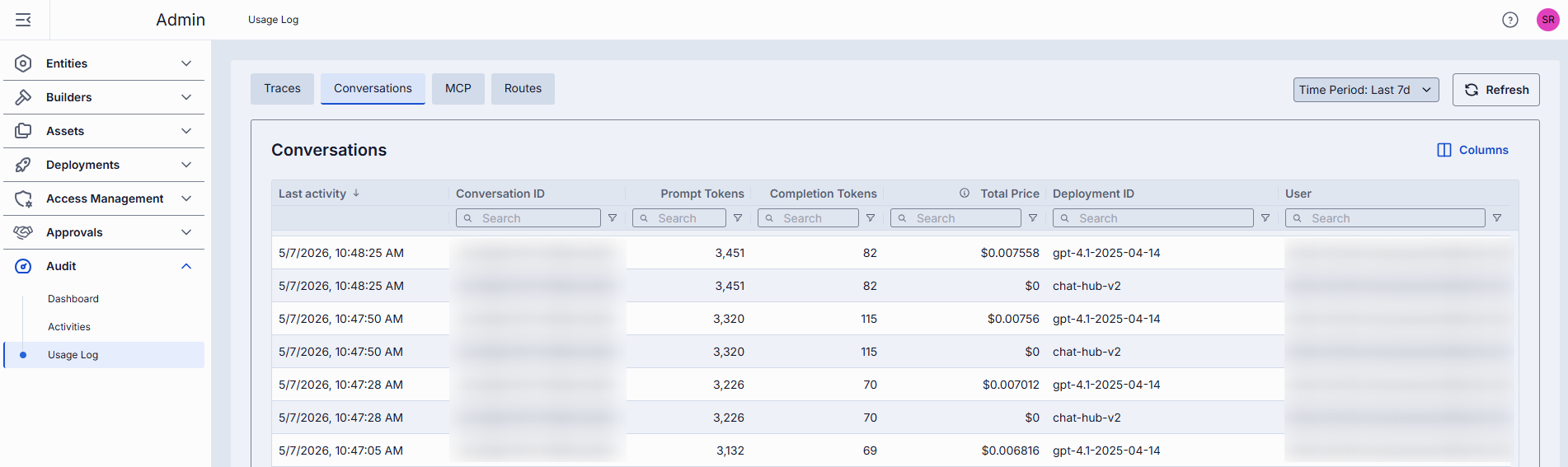
| Column | Description |
|---|---|
| Last activity | Timestamp of the most recent request within the given conversation. |
| Conversation ID | DIAL Chat conversation identifier. |
| Deployment ID | Identifier of the DIAL deployment corresponding to the given conversation. |
| Prompt tokens | Total number of request/prompt tokens sent to the AI model within the given conversation. |
| Cached prompt tokens | Number of prompt tokens served from cache (prompt-caching) within the given conversation. |
| Completion tokens | Total number of tokens generated by the AI model as output in the given conversation. |
| Total price | The total cost of all requests in the given conversation. |
| Number of request messages | The number indicates the chat conversation length in chat completion requests and the input count in embedding requests. |
| Project | Project ID corresponding to the DIAL API Key via which the given conversation has been realized. |
| User | The unique hash identifying the user who initiated the given conversation. |
| User title | Job title of the user (if available) who initiated the given conversation. |
| Topic | Auto-generated subject summarizing the conversation. |
| Language | Detected language in the given conversation (e.g., en). |
MCP
The MCP tab provides a focused view of MCP-related activity within DIAL Core. Each row represents an MCP call, allowing administrators to track when and how MCPs are used across deployments and projects. This tab helps you monitor tool usage, trace individual calls, and analyze integration patterns with MCPs.
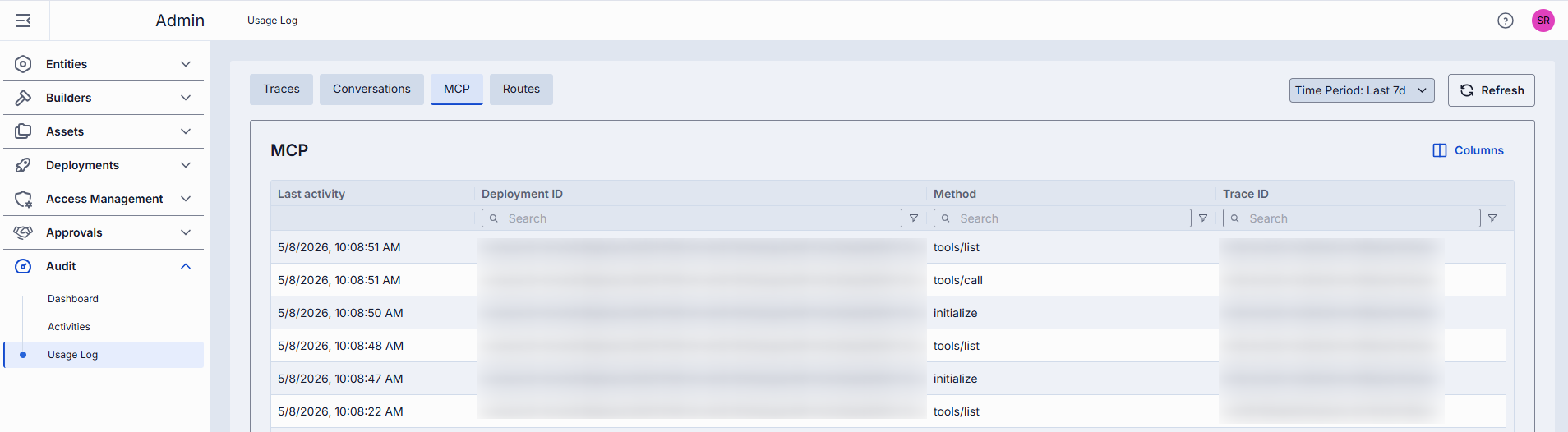
| Column | Description |
|---|---|
| Last activity | Timestamp of the most recent MCP call. |
| Deployment ID | The deployment name of a DIAL toolset or application corresponding to the MCP call. |
| Project | Project ID associated with the MCP call, based on the DIAL API Key used. |
| Tool Name | Name of the tool invoked during the MCP call. |
| Trace ID | OpenTelemetry trace ID uniquely identifying the MCP call and its related sequence of operations. |
| Method | The method or operation performed by the MCP tool. |
Routes
The Routes tab provides a focused view into Routes-related activity within DIAL Core. Each row represents a call to a Route, allowing administrators to track when and how Routes are used across deployments and projects.
Refer to Routes to learn more about them.
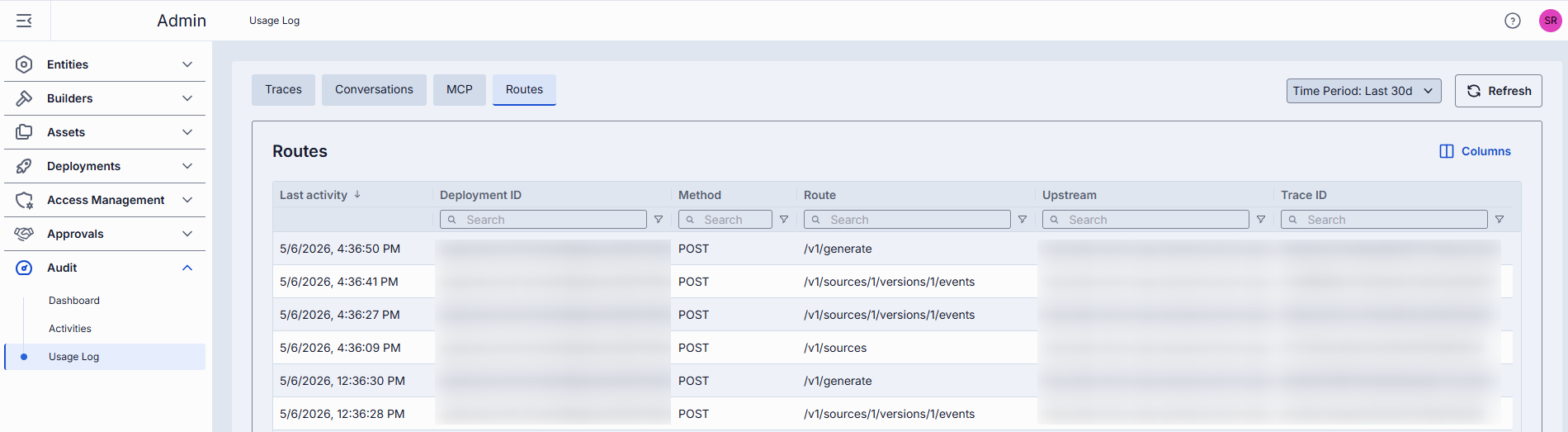
| Column | Description |
|---|---|
| Last activity | Timestamp of the most recent route call. |
| Route | Name of the route invoked during the route call. |
| Method | The method or operation performed by the route. |
| Upstream | The upstream endpoint called during the route call. |
| Deployment ID | The DIAL deployment whose route endpoint has been called. |
| Project | Project ID associated with the route call, based on the DIAL API Key used. |
| Trace ID | OpenTelemetry trace ID uniquely identifying the route call and its related sequence of operations. |